
Download Taskworld – Powerful Project & Task Management Software
Overview
Taskworld is a modern project and task management application built for both desktop computers and mobile devices. Designed for teams that need visual clarity and real‑time collaboration, Taskworld combines planning boards, task lists, checklists, file attachments, and team tagging into a single, secure environment. While the platform isn’t free, it offers a 15‑day free trial that lets businesses evaluate whether its workflow‑centric features match their planning requirements. The intuitive UI, cross‑platform availability, and robust reporting tools make Taskworld a strong contender for companies looking to boost productivity, keep stakeholders aligned, and maintain a transparent task lifecycle from inception to completion.
Key Features & How They Empower Teams
- Visual Planning Boards: Drag‑and‑drop cards across customizable columns to mirror Kanban, Scrum, or any workflow your team prefers.
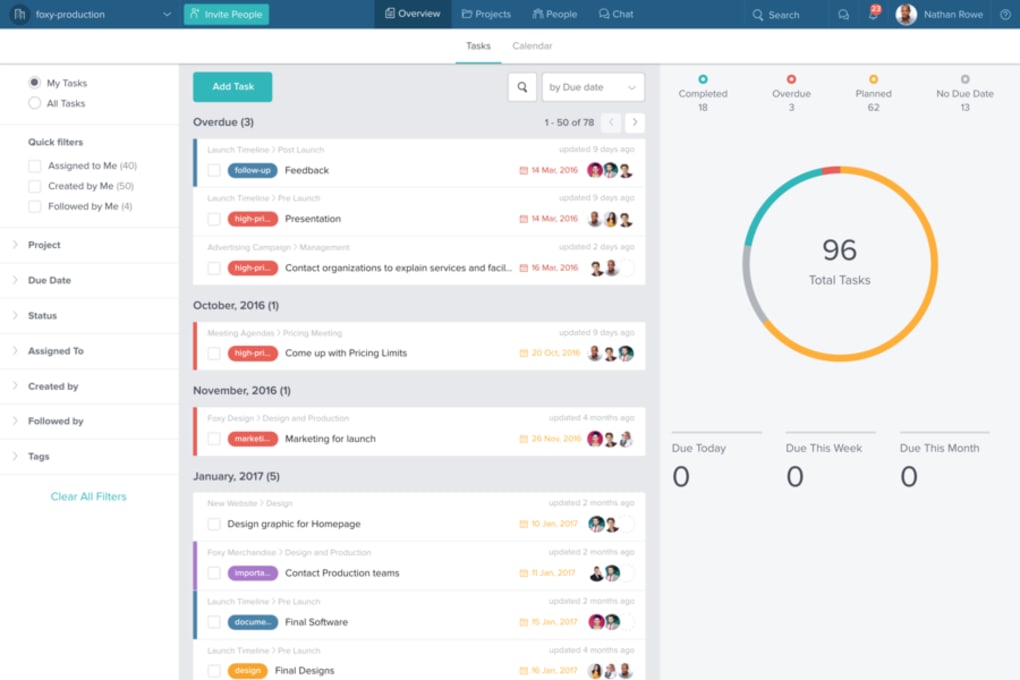
- Task Lists & Checklists: Create hierarchical tasks with sub‑tasks and checklists, ensuring no detail is overlooked.
- File Attachments & Comments: Attach PDFs, images, or spreadsheets directly to tasks and discuss them in threaded comments.
- Team Tagging & Mentions: Tag colleagues instantly, trigger notifications, and keep the right people in the loop.
- Time Tracking & Reporting: Log hours per task, generate visual reports, and export data for invoicing or performance reviews.
- Integrated Chat & Activity Feed: Communicate in real time, view recent activity, and reduce email clutter.
- Mobile Apps for iOS & Android: Manage projects on the go with fully featured native applications.
- Security & Permissions: Granular access controls, SSO support, and encrypted data storage keep corporate information safe.
- Automation & Integrations: Connect Taskworld with Slack, Google Drive, Zapier, and more to streamline repetitive tasks.
- Customizable Dashboards: Build personal or team dashboards with widgets for progress, workload, and upcoming deadlines.
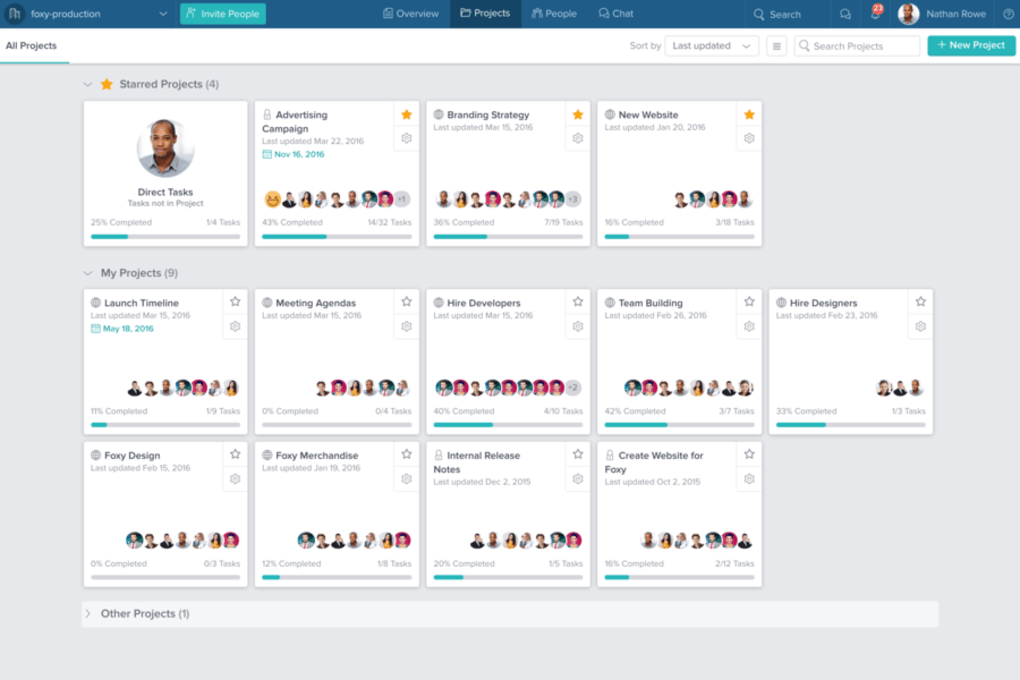
These features work together to eliminate the silos that often develop in growing teams. By providing a single source of truth for tasks, files, and conversations, Taskworld reduces context switching and accelerates decision‑making. The platform’s visual nature also makes it easier for non‑technical stakeholders to understand project status without digging through spreadsheets.
Installation, Setup & Compatibility
Desktop Installation (Windows & macOS)
Downloading Taskworld for Windows or macOS is straightforward. Visit the official website, click the “Download for Windows” or “Download for macOS” button, and run the installer. The setup wizard guides you through the typical steps: accepting the license agreement, choosing an installation folder, and creating a desktop shortcut. Once installed, launch the app and sign in with your corporate credentials or create a new account during the 15‑day trial period.
Mobile Installation (iOS & Android)
For mobile users, head to the Apple App Store or Google Play Store, search for “Taskworld,” and tap “Install.” The app size is under 150 MB, making it suitable even for devices with limited storage. After installation, log in using the same credentials you set up on the desktop version, and you’ll instantly see all your boards, tasks, and recent activity synchronized via the cloud.
System Requirements & Operating Systems
Taskworld supports Windows 10 or later, macOS 10.13 (High Sierra) or newer, iOS 12+ and Android 8.0+. The web version runs smoothly in the latest versions of Chrome, Firefox, Edge, and Safari, providing a flexible option for users who prefer a browser‑based experience. Minimum hardware requirements include 2 GB RAM, a 1 GHz processor, and an active internet connection for real‑time updates.
Initial Configuration
After signing in, you’ll be prompted to create your first workspace. Choose a name, invite team members via email, and set role‑based permissions (Admin, Manager, Member). The onboarding wizard then walks you through creating a sample board, adding tasks, and attaching files, ensuring you’re ready to launch your first project within minutes. For larger organizations, Taskworld offers bulk user import via CSV and SSO integration with Okta, Azure AD, or OneLogin.
Pros and Cons
Pros
- Intuitive visual interface that suits both Agile and traditional project methodologies.
- Comprehensive feature set—including time tracking, reporting, and automation—without needing third‑party add‑ons.
- Robust mobile apps keep teams productive on the go.
- Strong security controls, SSO support, and GDPR compliance for enterprise environments.
- Free 15‑day trial lets businesses evaluate the tool without financial risk.
Cons
- Pricing starts at $10 per user per month, which may be steep for small startups.
- Advanced reporting features require a higher‑tier plan.
- No native offline mode; users must stay online to sync changes.
- Learning curve for teams unfamiliar with Kanban‑style boards.
- Limited custom branding options compared to some competitors.
Frequently Asked Questions & Final Thoughts
Is there a free version of Taskworld?
Taskworld does not offer a permanent free tier, but it provides a 15‑day free trial that includes all core features. After the trial, you’ll need to select a paid plan to continue using the platform.
Can I integrate Taskworld with Slack or Microsoft Teams?
Yes. Taskworld offers native integrations with Slack, Microsoft Teams, and many other collaboration tools via Zapier, allowing you to receive notifications, create tasks, and sync updates directly within your preferred communication channel.
How does Taskworld handle data security?
Taskworld uses AES‑256 encryption for data at rest and TLS 1.2+ for data in transit. The platform complies with GDPR, SOC 2, and offers SSO, two‑factor authentication, and role‑based access controls to protect sensitive information.
Can I import projects from other tools like Trello or Asana?
Taskworld provides CSV import functionality and a dedicated migration assistant for moving boards, tasks, and attachments from Trello, Asana, and other popular project‑management platforms.
What support options are available during the trial?
During the 15‑day trial, users have access to email support, a knowledge base, video tutorials, and live chat during business hours. Premium support (phone and priority response) is reserved for paying customers.
Overall, Taskworld delivers a well‑rounded, visually driven project management experience that suits both small teams and large enterprises. Its blend of task boards, time tracking, and real‑time collaboration tools reduces the friction often associated with multi‑platform workflows. While the price point may be a barrier for very small businesses, the depth of features—combined with strong security and mobile capabilities—makes the investment worthwhile for organizations that prioritize transparency and efficiency.
If you’re ready to streamline your project planning, improve communication, and gain actionable insights into team performance, download Taskworld today and start your 15‑day free trial. Experience first‑hand how a unified workspace can transform chaotic task lists into a clear, actionable roadmap.



.png)



